
What Should You Watch Out for When Editing Workdays?
This article is a machine-translated draft and will be reviewed shortly.
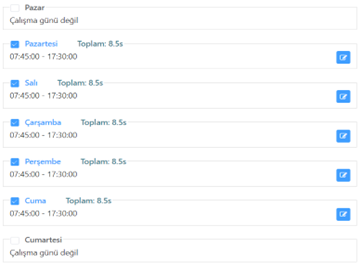
When adding a new work schedule or editing an existing one from the Berqun “Work Schedule and Shifts” tab, you can follow the steps below to edit the “Workdays” section:
To edit the working hours and the time to be spent productively, click the “Edit” button in the relevant area.
On the screen that opens, the “Expected Working Hours” field shows the expected productive duration, and score calculations are made based on this duration.
The Start and End times are used to determine the working hours.
The “Add another time cycle” button allows you to set the working hours during the day in more detail.
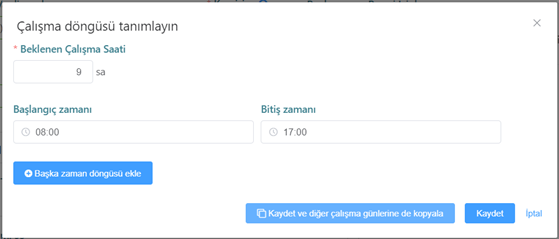
For example, you can define different periods such as 08:00 - 12:00 and 13:00 - 17:00. After saving these changes, you can easily apply the same settings to the other workdays.
Thanks to these methods, you can use the Berqun application more effectively by personalising your working hours and the time to be spent productively. For more help or detailed information, you can contact the Berqun Support Team.