How to Delete a Work Schedule?
This article is a machine-translated draft and will be reviewed shortly.
To delete a work schedule you’ve created, you can follow the steps below:
- First, click the “Work Schedule / Shifts” option from the Berqun panel.
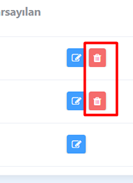
- In the row of the schedule you want to delete from the schedules that open on the right side, click the “Delete” button on the far right.
- Then click the “Yes” option in the warning given to remove the schedule.
- Your schedule will be deleted easily this way.