
6. Network Usage:
This article is a machine-translated draft and will be reviewed shortly.
Network Usage is a module designed to help you monitor and manage your employees’ network traffic. In this panel, you can find the details needed to understand network traffic data.
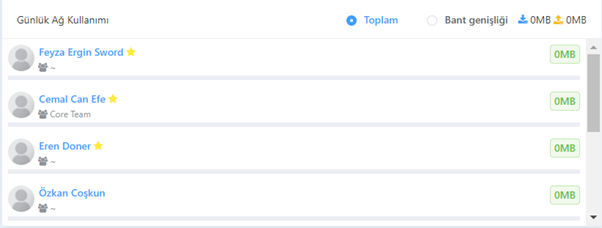
Here is information about the main features of this panel:
Total Download/Upload Data:
In the Network Usage Panel, you can view how much network traffic each employee generates. This data includes total download and upload counts. This way, you can track each employee’s network usage habits.
Bandwidth Option:
If you wish, through the “Bandwidth” option, you can see how many MBits of traffic employees generate per second. This feature allows you to analyse the intensity of network traffic in more detail.
Productivity Indicators:
Similarly, with an approach comparable to the one in the Productivity section, users with above-average network usage are marked in orange, while those below the average are marked in green. This way, you can quickly understand network traffic intensity visually.