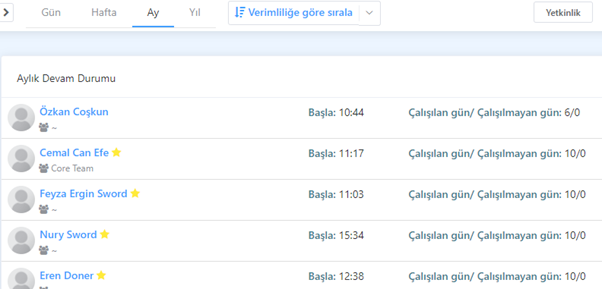
5 Attendance Status:
This article is a machine-translated draft and will be reviewed shortly.
This feature of the Office Panel helps you monitor your employees’ daily attendance status. You can use it to find out how your employees’ attendance has been on which days, weeks, months or years.
In addition, this panel allows you to view what time your team members started and finished work.
Daily Attendance Status:
In the daily view, you can see when your employees started work and their current status (Online, Idle, Offline, On Leave). This way, you can understand your team members’ work schedule for the day and communicate with them.
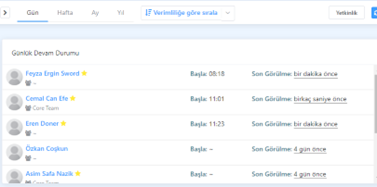
Weekly Attendance Status:
In the weekly attendance view, you can see your employees’ average working time from the beginning of the week up to that day. You can also access details about start and end times, as well as the days worked/not worked. This feature is used to understand the distribution of working hours.
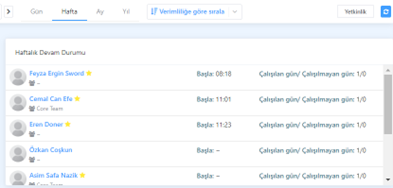
Monthly and Yearly Attendance Status:
In the monthly and yearly attendance views, you can see your employees’ average working hours and their start and end times. You can also view how many days were worked over each month or year. This information helps in understanding long-term performance trends.