3. Time-Range View:
This article is a machine-translated draft and will be reviewed shortly.
The Office Panel offers the option to view data across different time periods. Through the toolbar in the Office Panel, with daily, weekly, monthly and yearly views, you can understand employees’ long-term performance trends.
In addition, with this selection you can view your employees’ BQ Score, network usage, attendance status and top 5 most used activities in the Office Panel, averaged according to the time range you choose.

The daily, weekly, monthly and yearly view options are as follows:
Daily View:
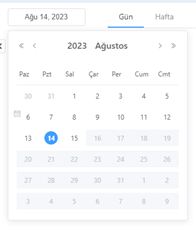
By clicking the “Day” option in the date picker calendar, a selection can be made for any desired day, including past days.
Weekly View:
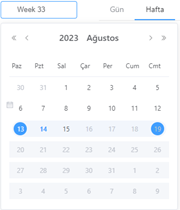
By clicking the “Week” option in the date picker calendar, a selection can be made for any desired week, including past weeks.
Monthly View:
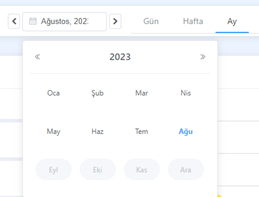
By clicking the “Month” option in the date picker calendar, a selection can be made for any desired month, including past months.
Yearly View:
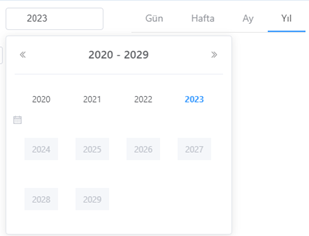
By clicking the “Year” option in the date picker calendar, a selection can be made for any desired year, including past years.