
How to Generate Office Productivity Reports?
This article is a machine-translated draft and will be reviewed shortly.
The “Office Productivity” section under Berqun’s Reports tab is a powerful feature you can use to analyse the productivity status of your workplace.
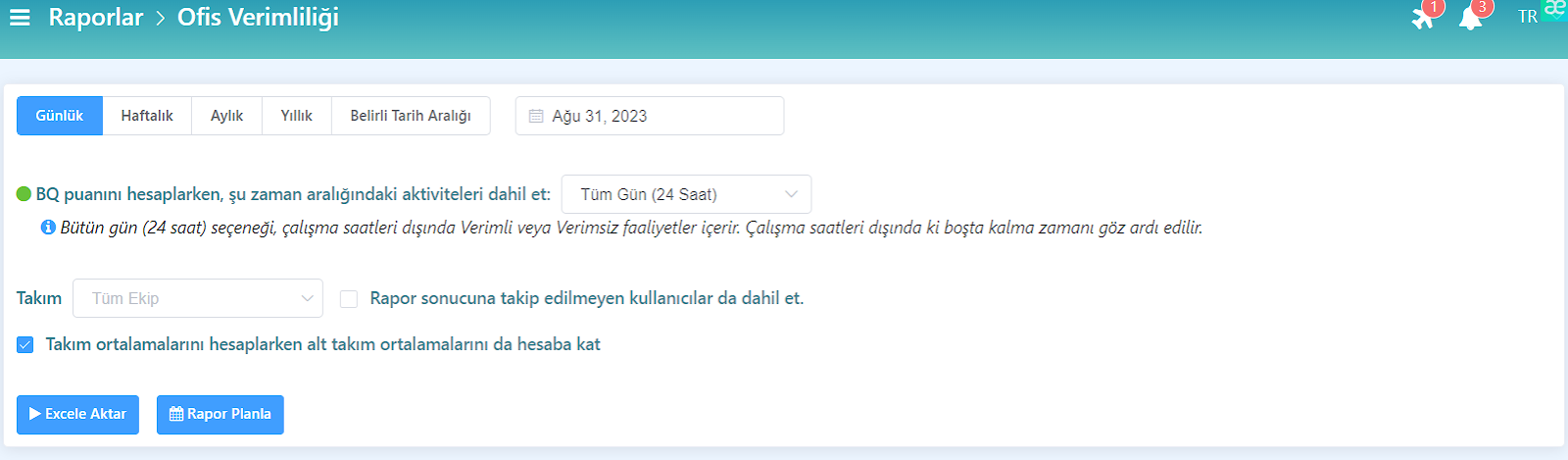
These reports can be generated for different time ranges (daily, weekly, monthly, yearly, or a specific date range), and you can perform more detailed reviews by exporting the report to an Excel file.

While generating a report, you can make a team selection.
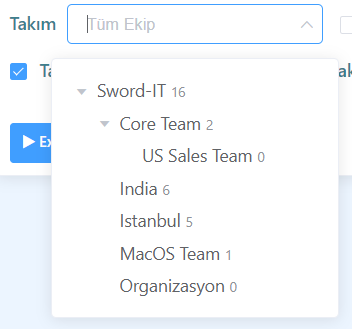
If you do not select any team, the data of all employees registered with Berqun will be included in the report. However, when you select a team, only the employees of the selected team will be reflected in the report.

You can also include employees who are no longer being tracked in the report results, for example employees who have left the company. This way, the reports present a more realistic and comprehensive picture.
The BQ Score values used in the report results are presented based on three different calculation methods:
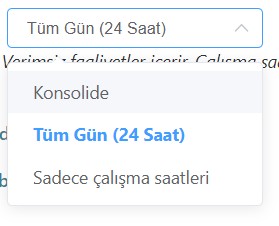
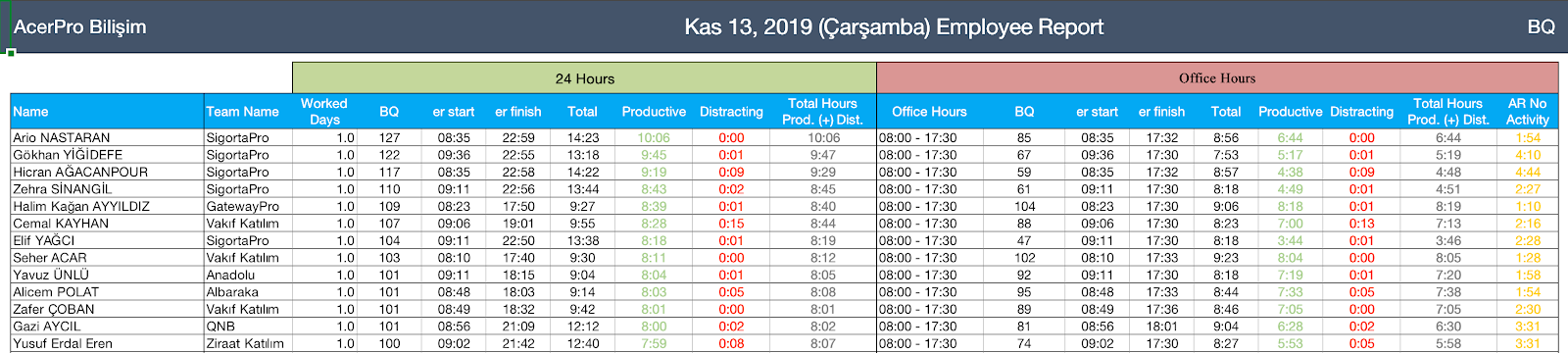
1- All Day (24 Hours)
Regardless of the report’s date range, this includes all activities performed by employees within 24 hours.
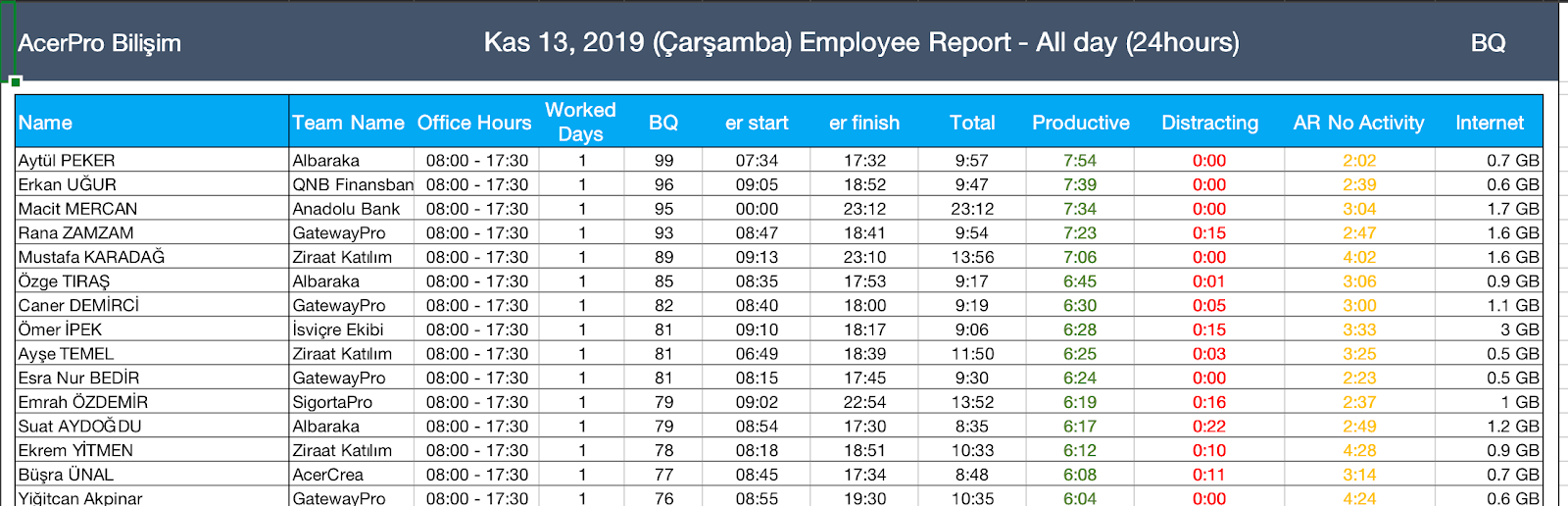
2- Working Hours
The calculation is made considering the employee’s working hours within the report’s date range.
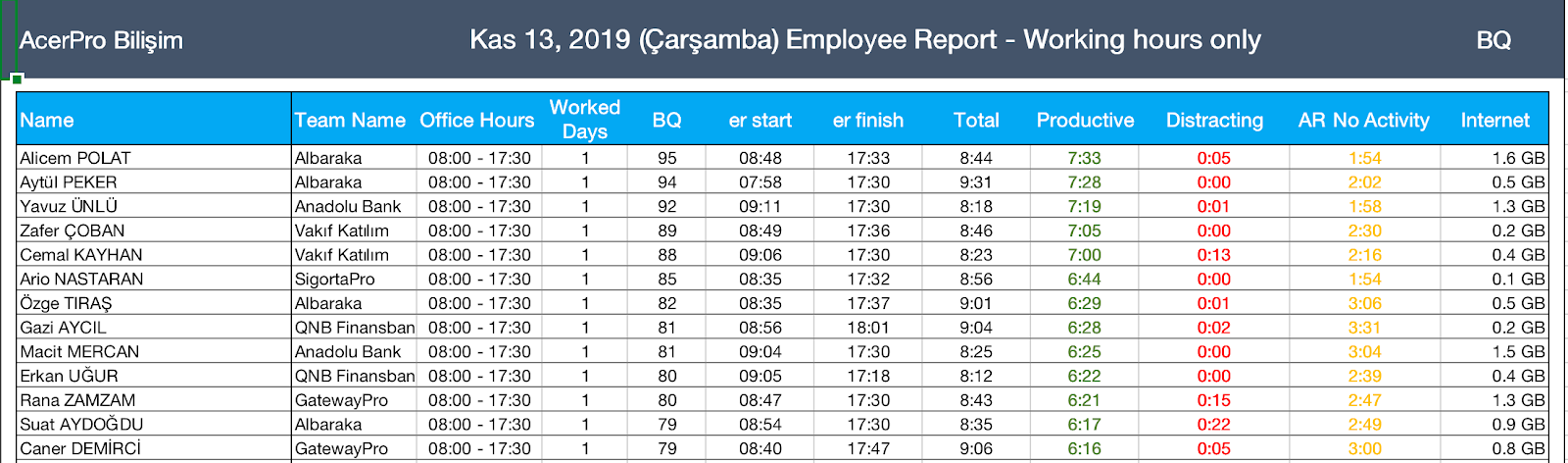
3- Consolidated
The Consolidated option shows the difference between the two calculations above, so the impact of activities performed outside working hours is also included in the calculation.
You may also be interested in: How to Generate Employee Productivity Reports?