
How to Get the Users and Computers Report?
This article is a machine-translated draft and will be reviewed shortly.
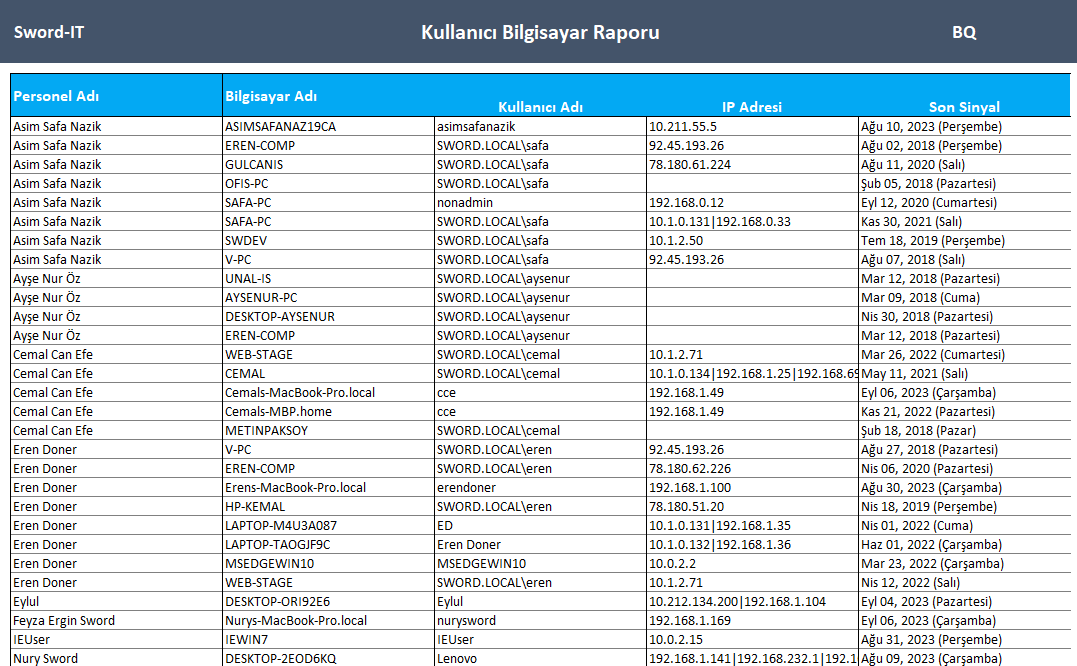
Berqun’s Users and Computers Report is a report that lists the names of the computers your employees use to access their Berqun accounts, their usernames, IP addresses, and the date they last sent a signal.

Here are the steps to get the users and computers report:
- From the user panel, go to the Reports tab and click the Users and Computers Report button.
- After choosing whether to include users who are not actively working but appear as passive in the system in the report results, press the Export to Excel button.
- In the report, you can view your employees’ computer names, usernames, IP addresses, and their last signals on Berqun.
You may also be interested in: Where Can I See Scheduled Reports?