
Employee List Search Options
This article is a machine-translated draft and will be reviewed shortly.
Various search options are provided to quickly find information in the employee list:
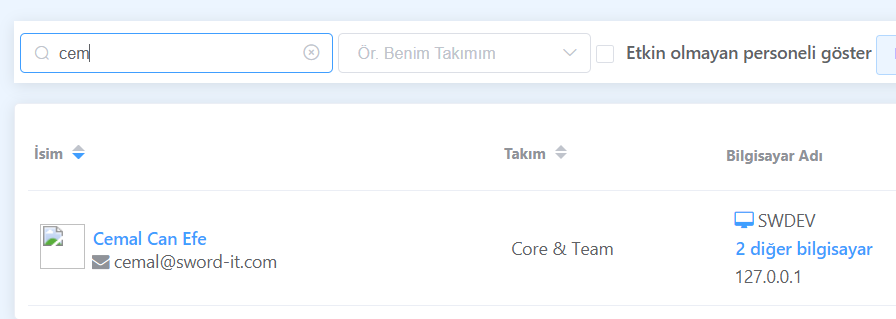
**Search by Name and Surname: ** You can find the employee you want by typing part of their name or surname.
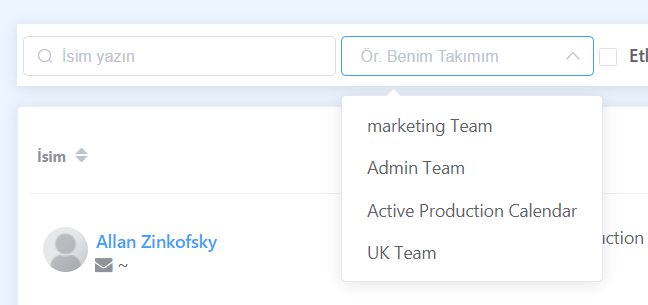
**Listing Employees in a Team: ** You can list employees by selecting a specific team. This feature helps team leaders easily see their team members.
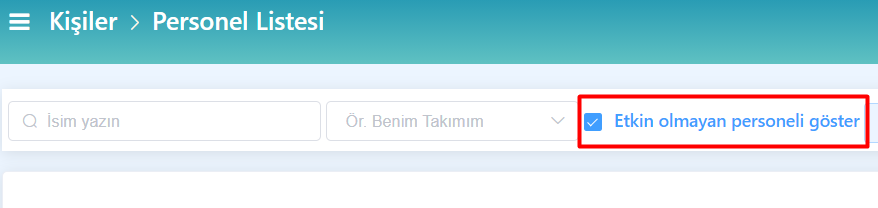
**Listing Inactive Employee Records: ** You can use this filter option when you want to view records of employees who have left the company or been deactivated.
Searching for Employee Records by Name and Surname
In the employee list, you can find the relevant employees by entering any part of their name or surname. This allows you to quickly search through a large employee list.
Listing Employees in a Team
By selecting a team, you can list the employees in the team you have selected. This feature makes it easier for managers to view and manage the members of their teams.
Listing Inactive Employee Records
You can view the records of employees who have left the company or been deactivated by using the “Show inactive employees” filter. This way, you can check the records of inactive employees.
After viewing all employees, did you see the same employee more than once? Then review the content titled Merging Duplicated Employee Records and learn the solution!