
Employee Activities Report
This article is a machine-translated draft and will be reviewed shortly.
The Employee Activities Report is designed to reveal the most frequently used activities by analysing the monthly activities of the selected employee. This report helps you observe your employees’ workplace activities within the date range you specify and presents the top 100 most popular activities.
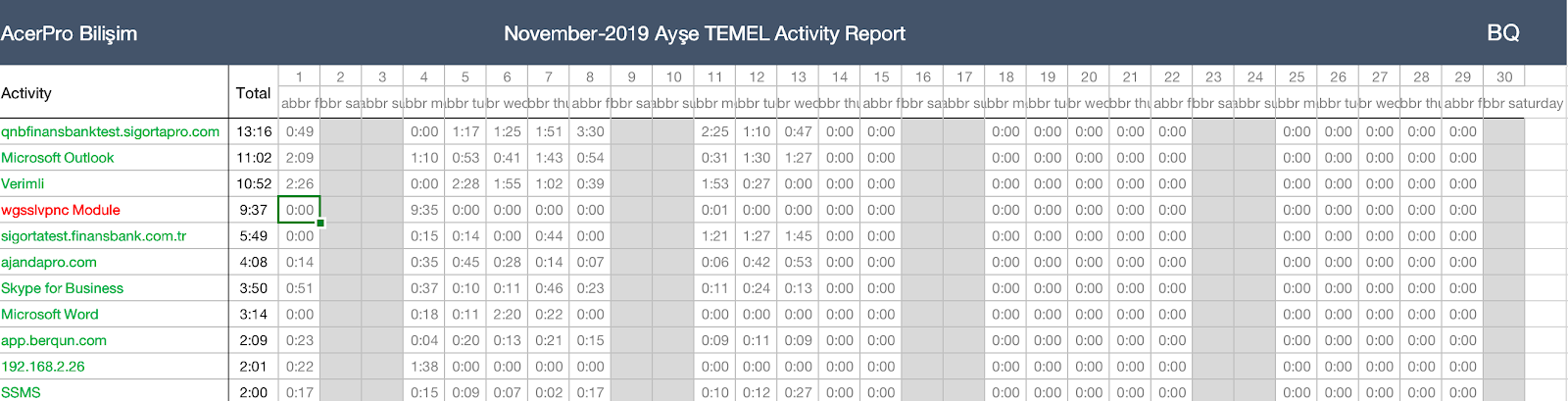
Here are the steps to get the employee activities report:
- To access the reports, go to the Reports tab and click the Employee Activities button.
- Set a date to generate the report and press the Export to Excel button.
- The report lists the top 100 most used activities of the selected employee.
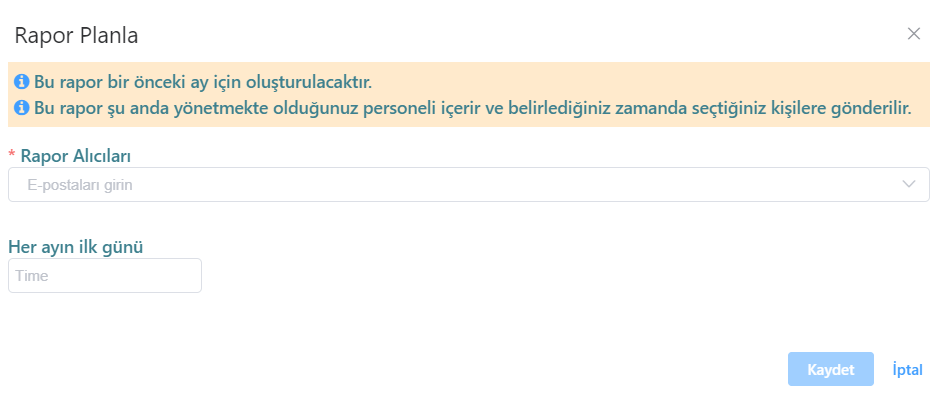
Berqun continues to make your work easier! By clicking the “Schedule Report” button on the Employee Activities tab, you can receive reports regularly at the time intervals you choose.
You may also be interested in: How to Get the Monthly Timesheet Report?