How to Configure User Visibility Settings in Berqun
This article is a machine-translated draft and will be reviewed shortly.
Berqun software offers two different visibility modes:
Hidden Mode: In this mode, employees cannot see the Berqun icon running while their activities are being tracked. It runs silently in the background.
To enable hidden mode, you can follow the steps User Panel Settings Berqun Application from the user panel.
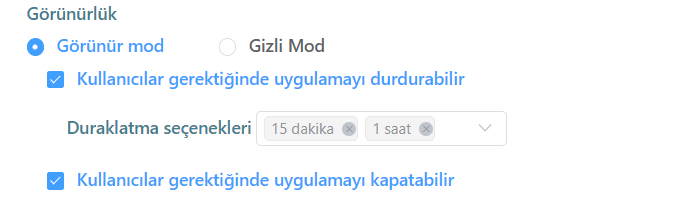
On the screen that appears, you can disable the application’s visibility by clicking on hidden mode.

Visible Mode: In this mode, employees can see the Berqun icon running while their activities are being tracked.
To enable visible mode, you can follow the steps User Panel Settings Berqun Application from the user panel.
On the screen that appears, you can enable the application’s visibility by clicking on hidden mode.
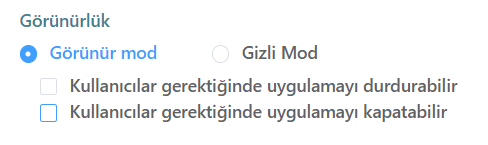
There are some features available in visible mode. We can describe these features as follows:
- If the option “Users can stop the application when needed.” is enabled, employees can deactivate the application when they are away from work or want to perform a private task.
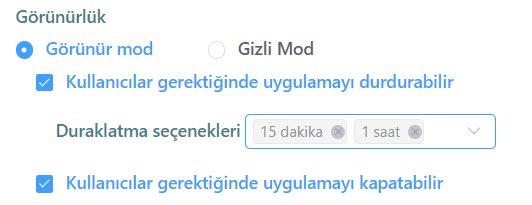
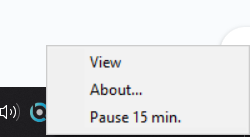
- If the option “Users can close the application when needed.” is enabled, employees can fully deactivate the application. This way, they can close it again whenever they want.