
Making a Productive Activity Unproductive
This article is a machine-translated draft and will be reviewed shortly.
To make an activity that you have marked as productive in Berqun unproductive, you can follow the steps below:
- Select the Productivity module.
- Open the Manage Activities option.
- On the screen that appears, click the magnifier icon located on the right side of the activities.

- On the screen that opens, to mark a productive activity as unproductive, you can use the “Remove All Rules” button found in the activity details.
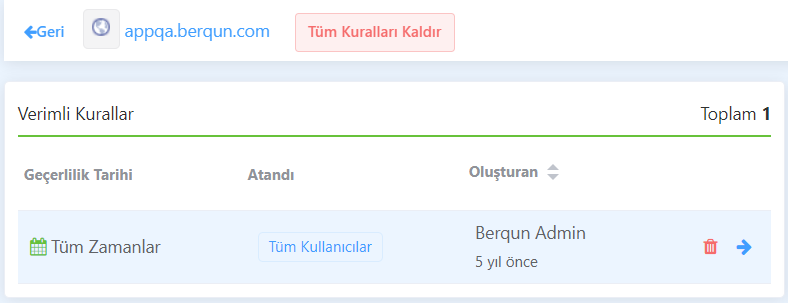
This operation removes the rules defined to make the activity productive, thereby making the activity unproductive. This change affects all score calculations both in the past and after the date the change is made.
If you want to change the productivity status of an activity you have selected and mark it as productive, check out our content titled “Making an Unproductive Activity Productive” right away!